
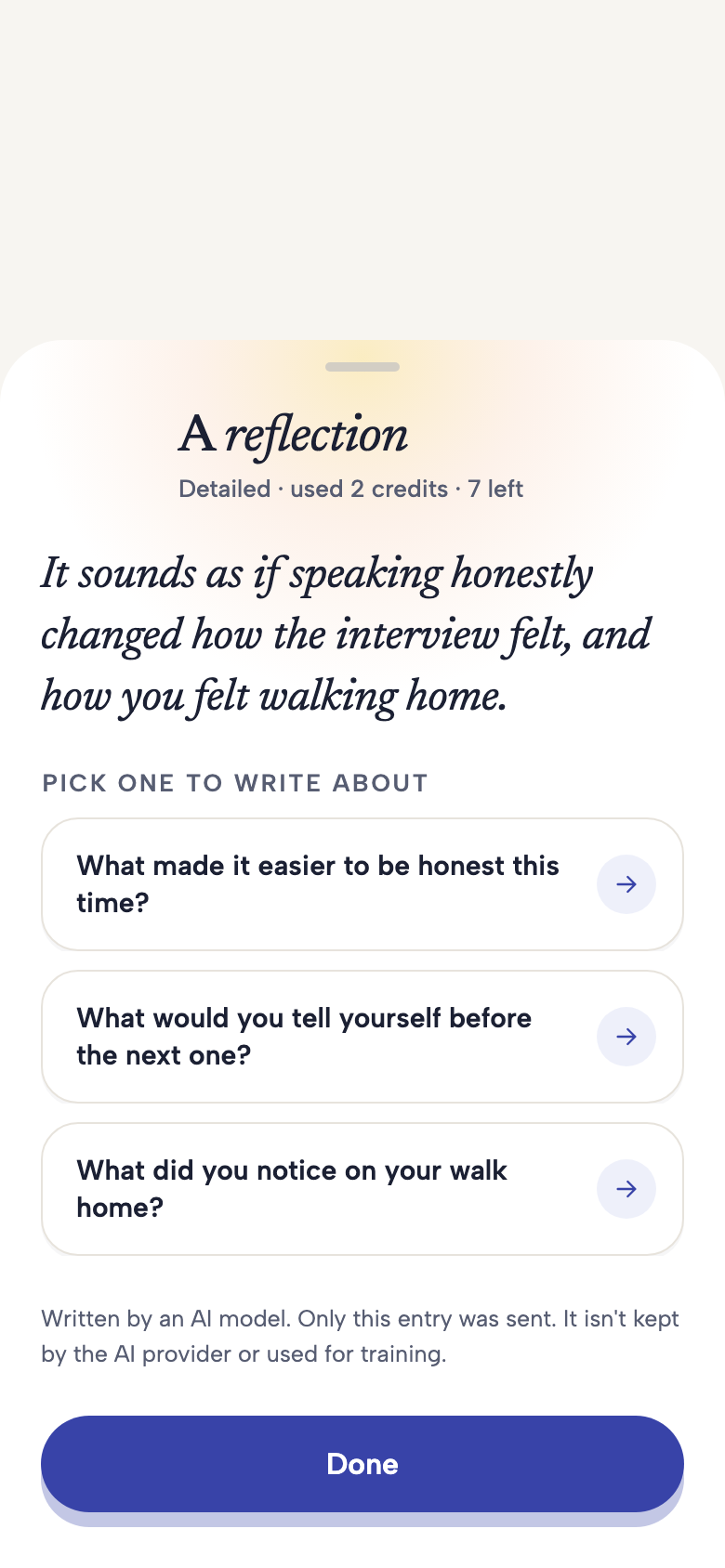
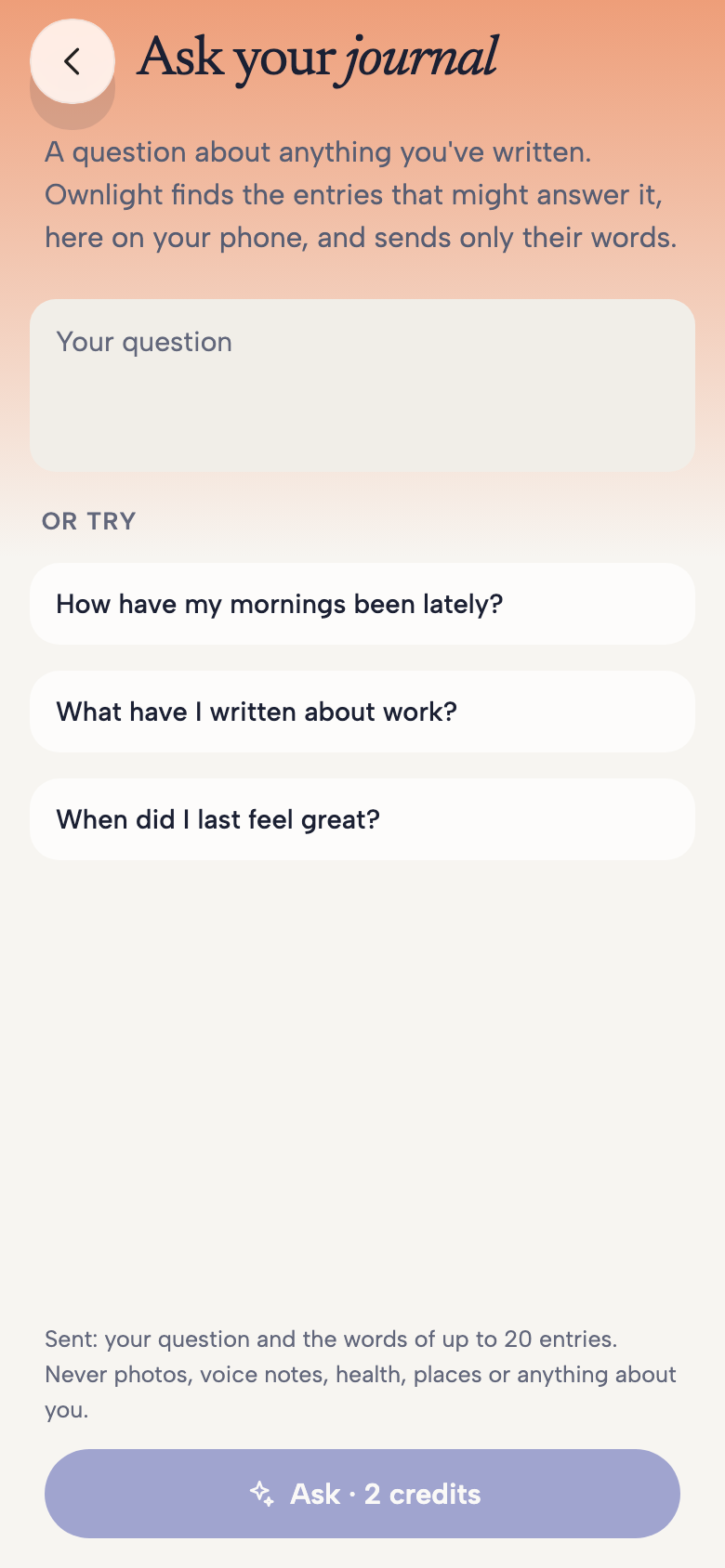
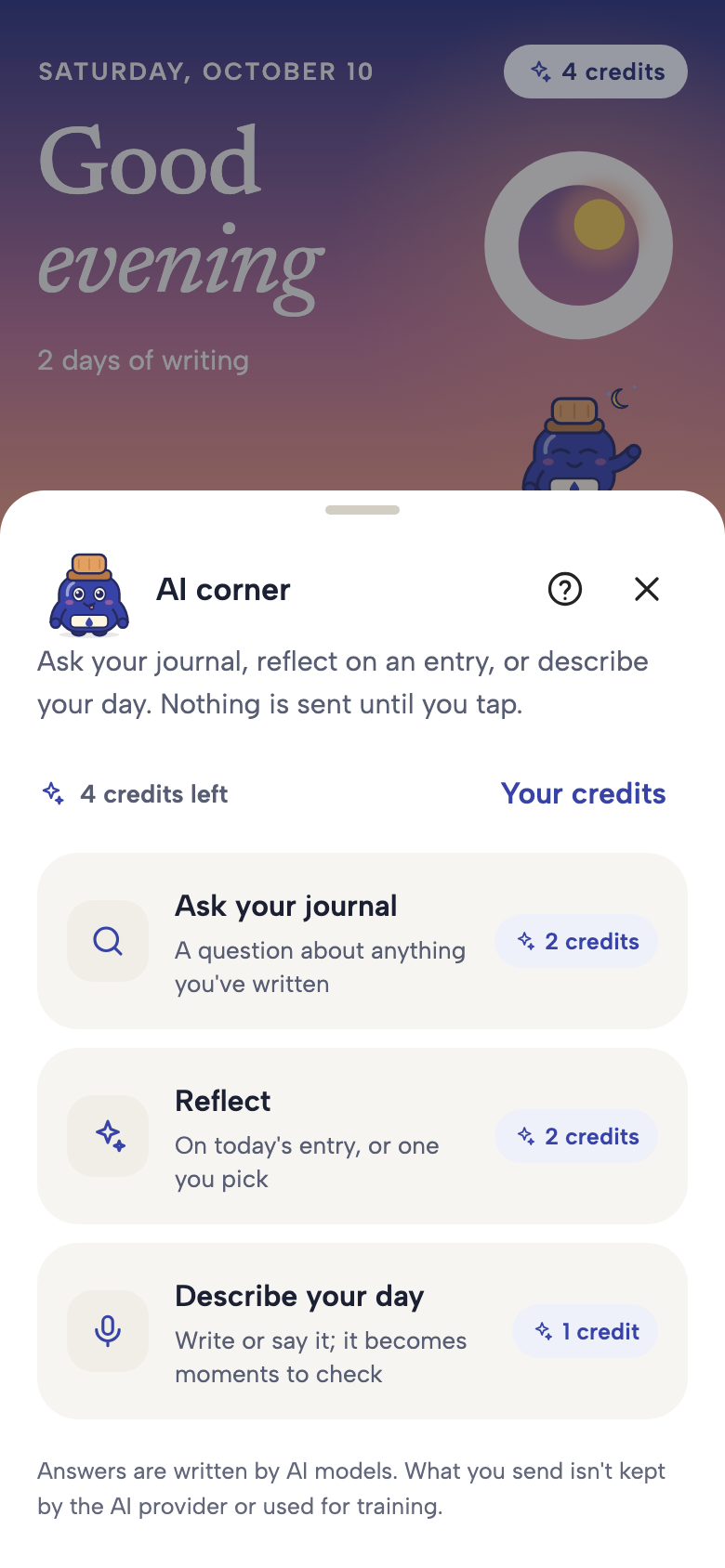
Choose Reflect, Ask your journal or Describe your day. The app shows the credit cost before you proceed. Opening the corner alone does not send journal content.
AI journaling tools
Another perspective.Still your words.
OwnLight’s AI corner gives you three ways to work with your writing. Use it when it helps, skip it when it does not. Your journal does not need AI to be yours.
See how it worksIn development for iPhone and Android. Features and availability may change before launch.
OWNLIGHT
A closer look
Choose an entry for a reflection and follow-up questions. After consent, its text, mood and tags are sent for processing. Read the response as a possible perspective, not a fact about you.
Ask your journal uses relevant entries selected for your question, including their words, dates, moods and tags. Describe your day uses the words you provide to suggest draft moments that you review before keeping.
Made for everyday life
Your permission. A clear boundary.
AI processing needs an internet connection and your consent. These tools do not send photos, voice recordings or connected health readings. Entries are not used to train AI models. AI can misunderstand or get things wrong; it is not a therapist or medical service.
OWNLIGHT
A few things to know
Does AI read the whole journal?
Reflect uses one chosen entry. Ask can use several relevant entries to answer your question; it is not limited to the single entry on screen. Describe uses the words you supply. You can use OwnLight without any of these tools.
How do credits work?
The app displays each action’s cost. Plus includes an AI credit allowance and enables optional credit purchases; Free does not offer top-up purchases. Prices and the confirmed allowance will be shown at launch.